
Product filesDownload CAD Builder
CAD Builder 1.3.1 is a Windows application.
The CAD Builder 1.3.1 installer is not currently available here. Contact OCCT3D about availability.
Contact OCCT3DOverview
For more than 20 years being always at the forefront of 3D, Open Cascade has gained considerable expertise in geometric modeling. In order to demonstrate software developing capabilities the company decided to come up with a sample of parametric CAD modeler - CAD Builder. It is a generic tool for parametric modeling derived from the SHAPER Module of the SALOME Simulation Platform developed by Open Cascade in collaboration with CEA and EDF .
Specific Development of 3D Modeling Tools

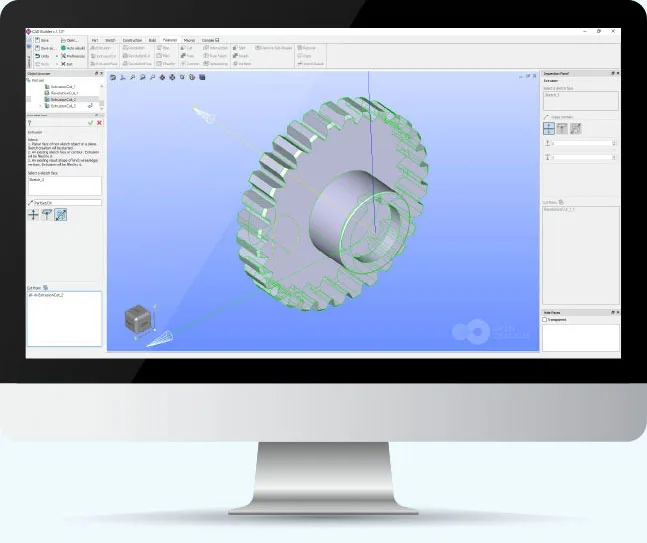
CAD Builder is designed for both professionals (engineers, architects, constructors, etc.), who has got used to work with parametric CAD software, and users with no or little CAD experience. It allows creating 3D models, modifying them and reusing in other applications. Created models are fully parametrical. So, a user can change initial objects, entered parameters, insert intermediate operations and get the final model modified accordingly. CAD Builder supports Python language to input model expressions or make scripts for automatization. In addition to usual CAD part modeling features, CAD Builder supports the creation and modification of:
So, 3D models created in CAD Builder can represent composite objects and be the base for generating conformal Finite Element Meshes. Advanced user may create new features in addition to the existing ones in CAD Builder. The architecture is flexible for creation of new plugins in C++ or Python easily using standard or custom GUI elements and Open CASCADE Technology modeling algorithms.
- Multi-dimensional models, i.e. geometries made of solids (3D), surfaces (2D) and lines (1D) topologically connected
- Non-manifold topologies, like a solid partitioned by internal surfaces
- Reference to geometric subsets of a model, so called Groups, used for setting the boundary conditions of calculations.
With CAD Builder you can

- Draw 2D sketch with a set of constraints and dimensions


- Create construction elements

- Create solid bodies of extrusion, revolution, pipes and apply operations on them

- Build multi-dimensional models with complicated surfaces
- Support non-manifold topologies, like a solid partitioned by internal surfaces
- Manage parts of a model
- Create new features and Python scripts
Supported file formats for reading and writing
- Neutral file formats: STEP, IGES, BREP
- OCCT file format: XBF
- Internal file format: CADBLD
Request a Quote for a custom modeling tool development
Open Cascade can provide you with a wide range of services based on CAD Builder, from the development of additional features to a complete custom modeling tool running on any operational system (Windows, Linux or MacOS).
Downloads and resources
Release information for CAD Builder remains available through the linked resources. Contact Open Cascade for current distribution information.
Application views
Product and project views related to this page.
View 5 more images