

In our previous article we demonstrated a set of DMU Reviewer capabilities for large CAD assemblies’ exploration and analysis. Whatever the number of components, be it even hundred thousands, in just several clicks a specific part can be easily founded and located thanks to exploded view, searching or filtering options.
Let’s see what valuable information DMU Reviewer can give if we want to examine closer separate parts and components.
Design review and analysis of a detail
Different companies use various CAD systems, what means that 3D models generated by these systems come in a large number of different formats. In this terms, DMU Reviewer is a universal solution, supporting the most popular proprietary and native CAD formats. Moreover, the software can convert geometry into a compact, lightweight and extremely fast format (internal .FBX format) what significantly streamlines and speeds up downstream usage of a model, if it is used by many people afterwards. In the picture below the file in .SLDPRT format is loaded into DMU Reviewer and we see how the model looks like. It can be rotated and specific views can be easily set up with the aid of interactive cube.
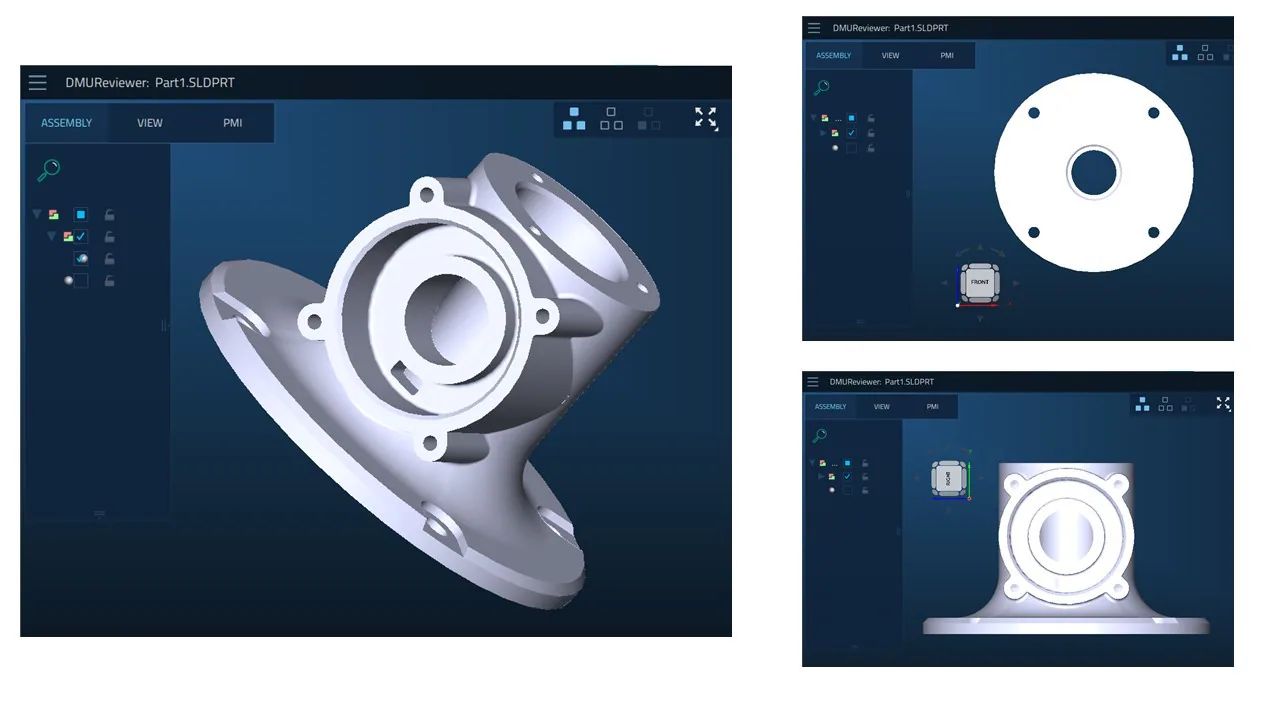
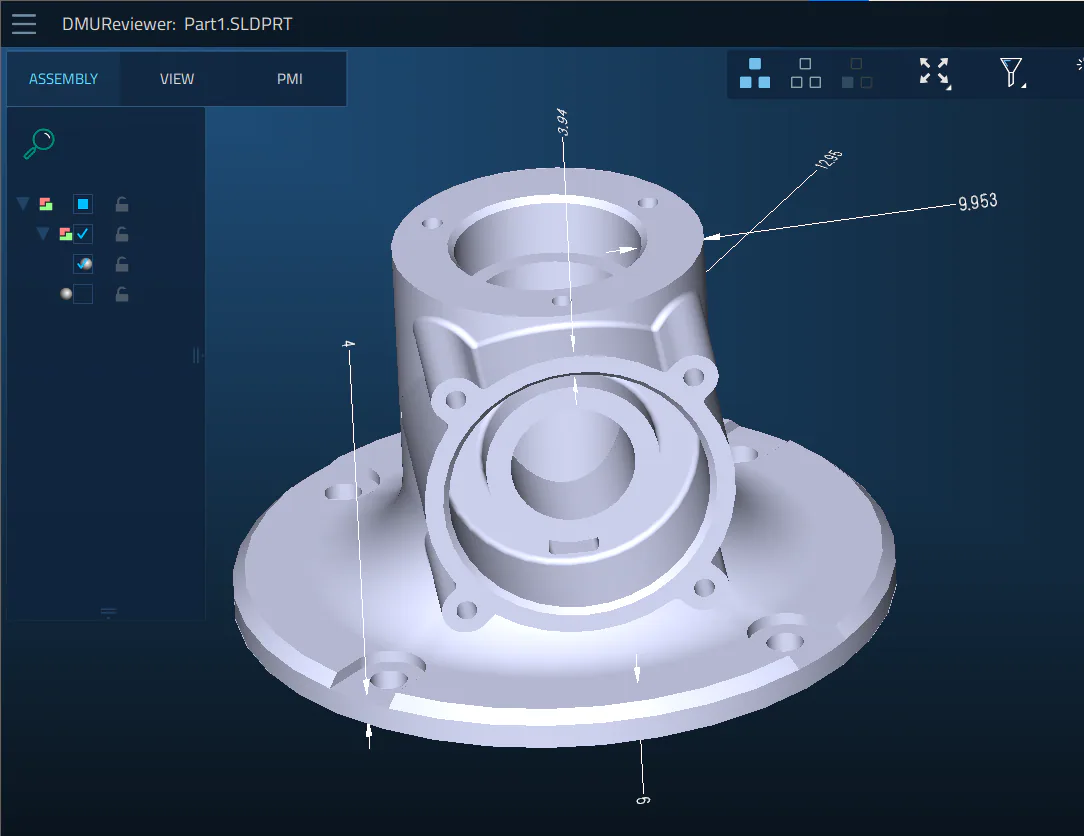
We see four small circular holes on the side and one big in the center at the back view. With just few clicks we take exact GD&T measurements.
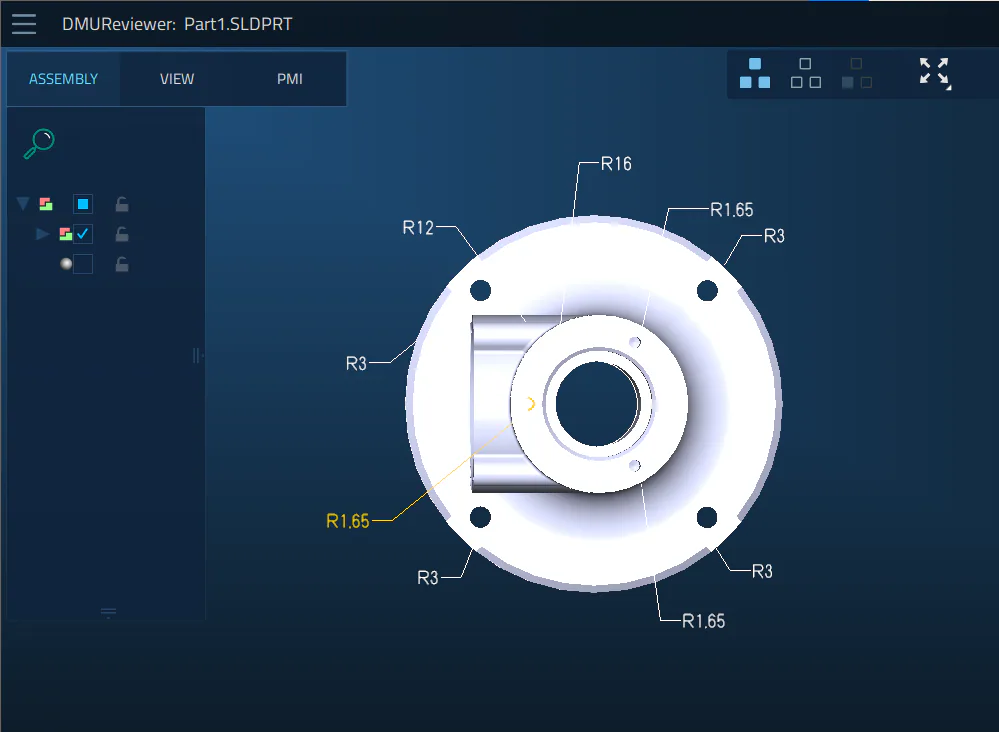
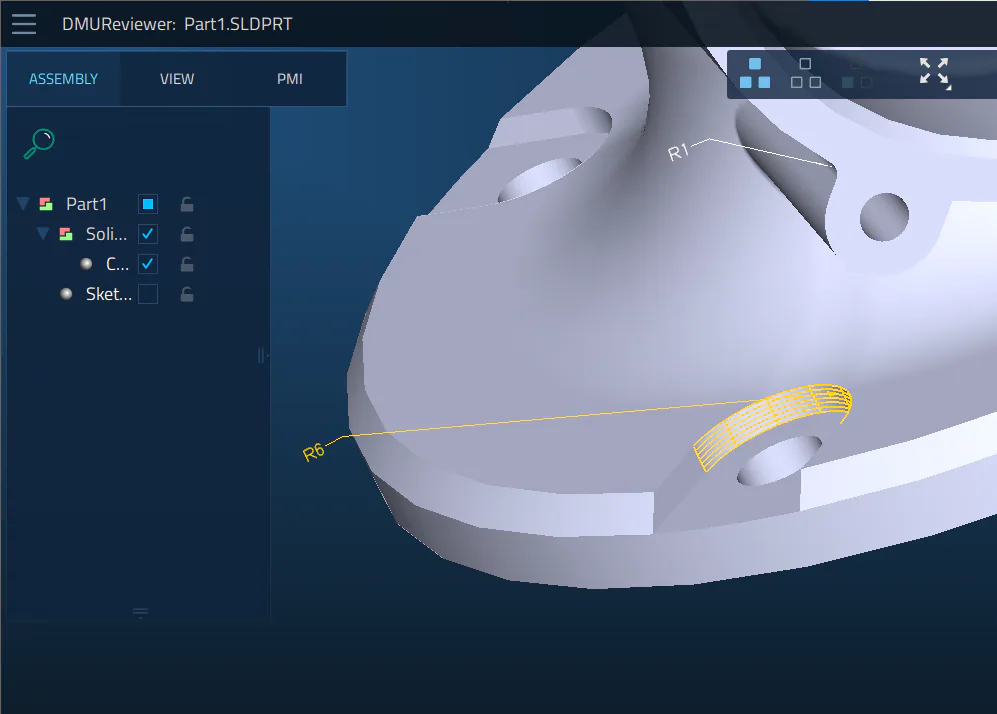
There are also specific areas which require closer attention and where measurements are critical
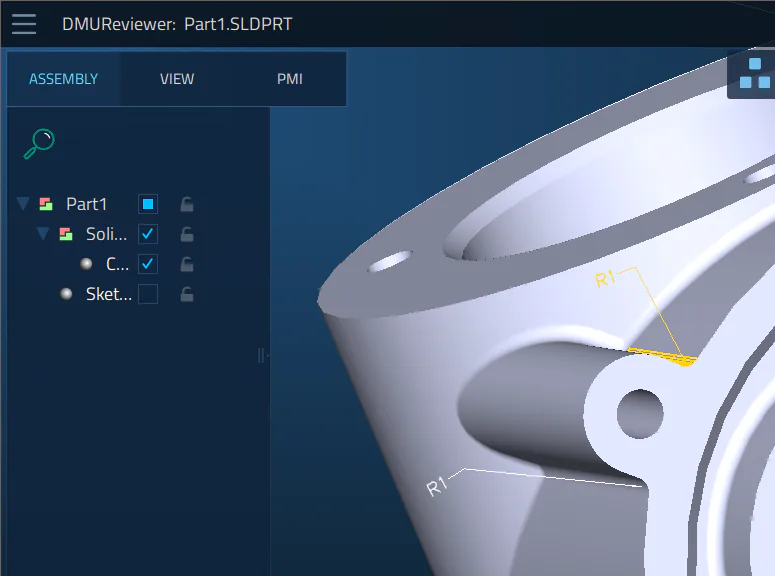
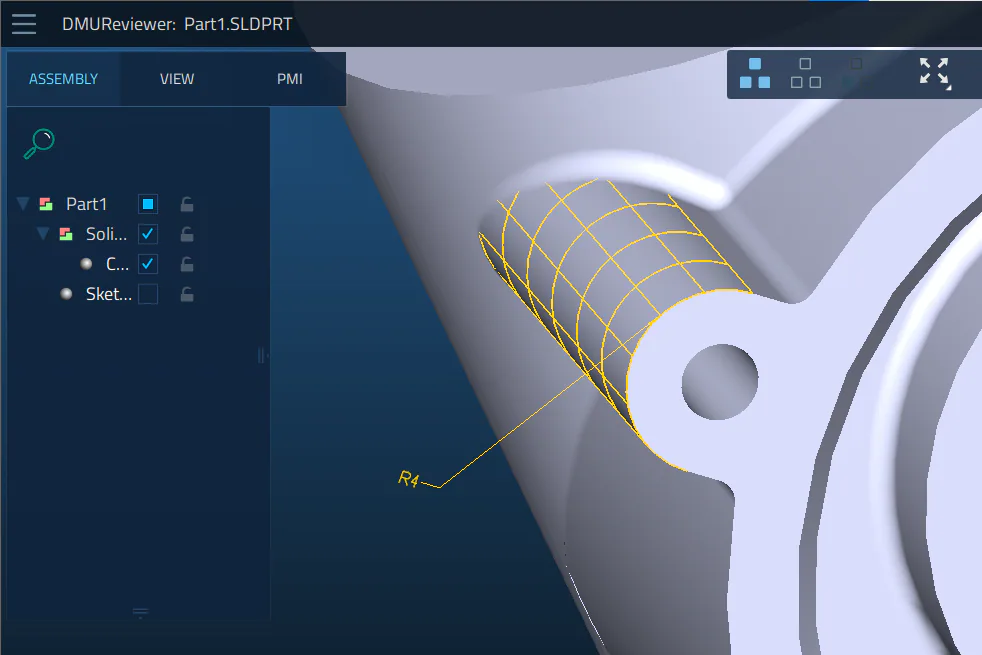
We also see that there are some non-through circular holes and we do not know how deep they are. To explore the model inside we create sections and take measurements right on them. Here we use Measure Distance option.
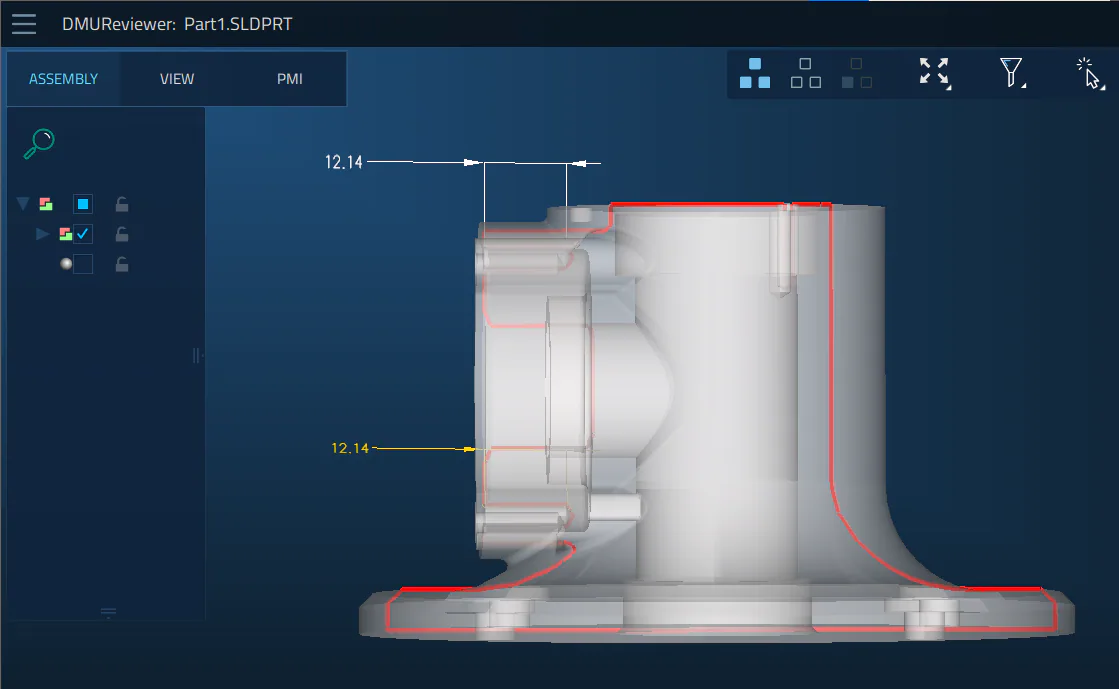
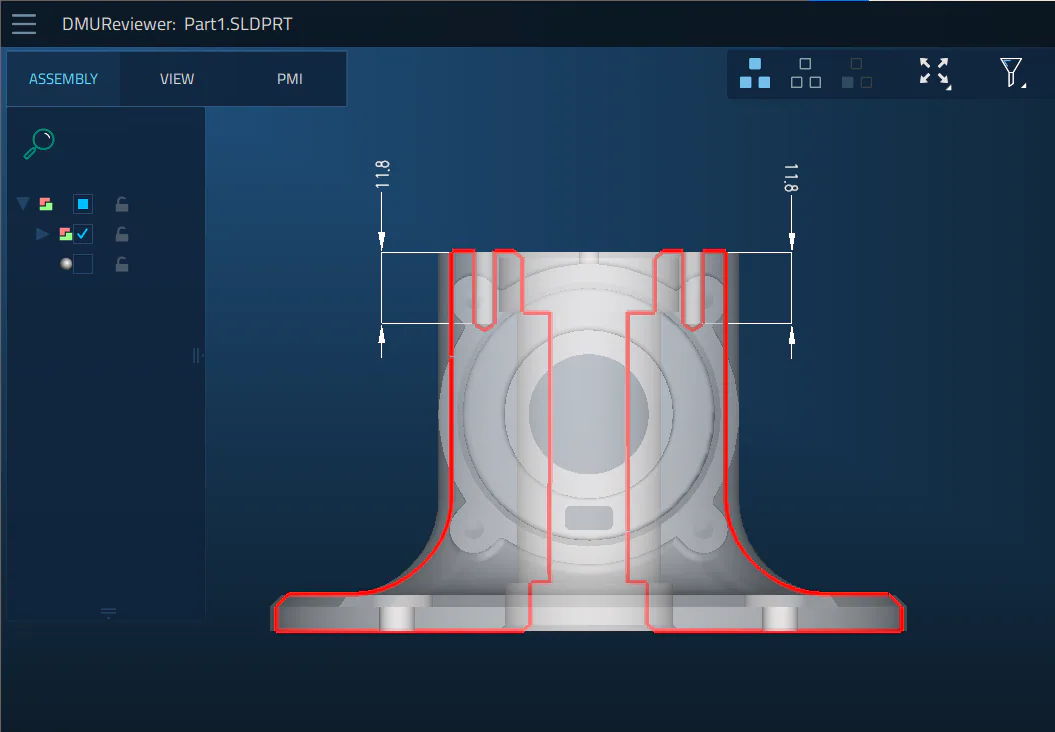
To translate this information for downstream processes, we add a note and save it.
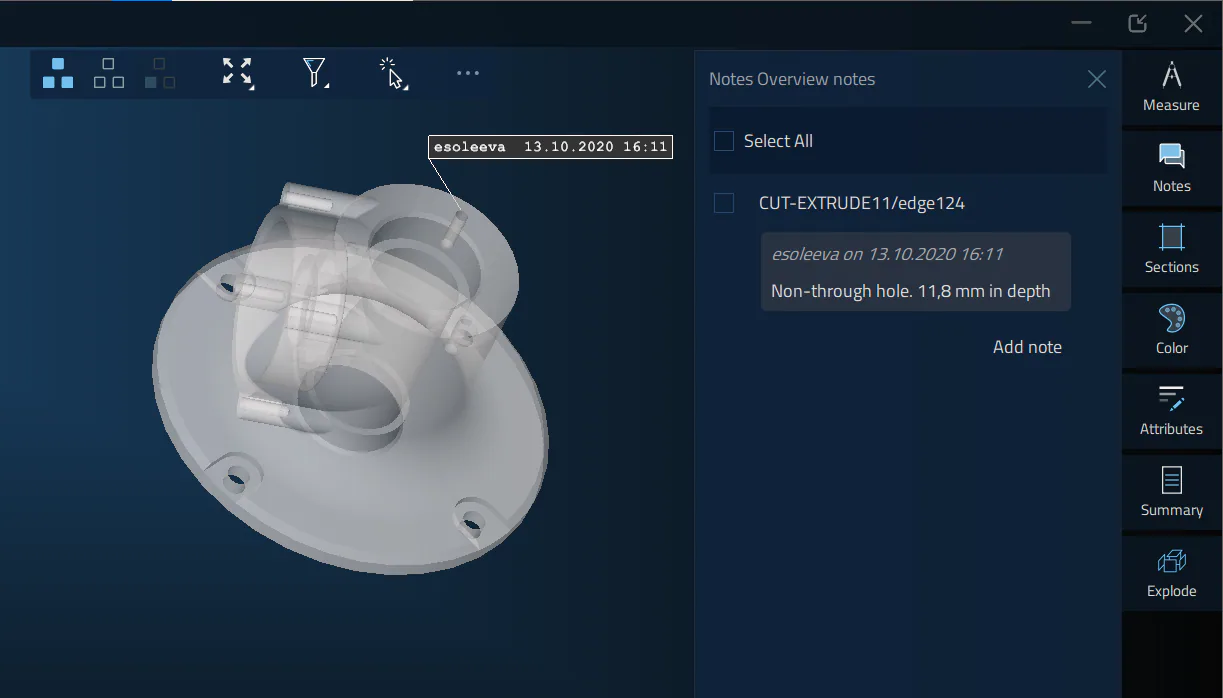
DMU Reviewer allows also to know thicknesses for different surfaces and the volume of the detail
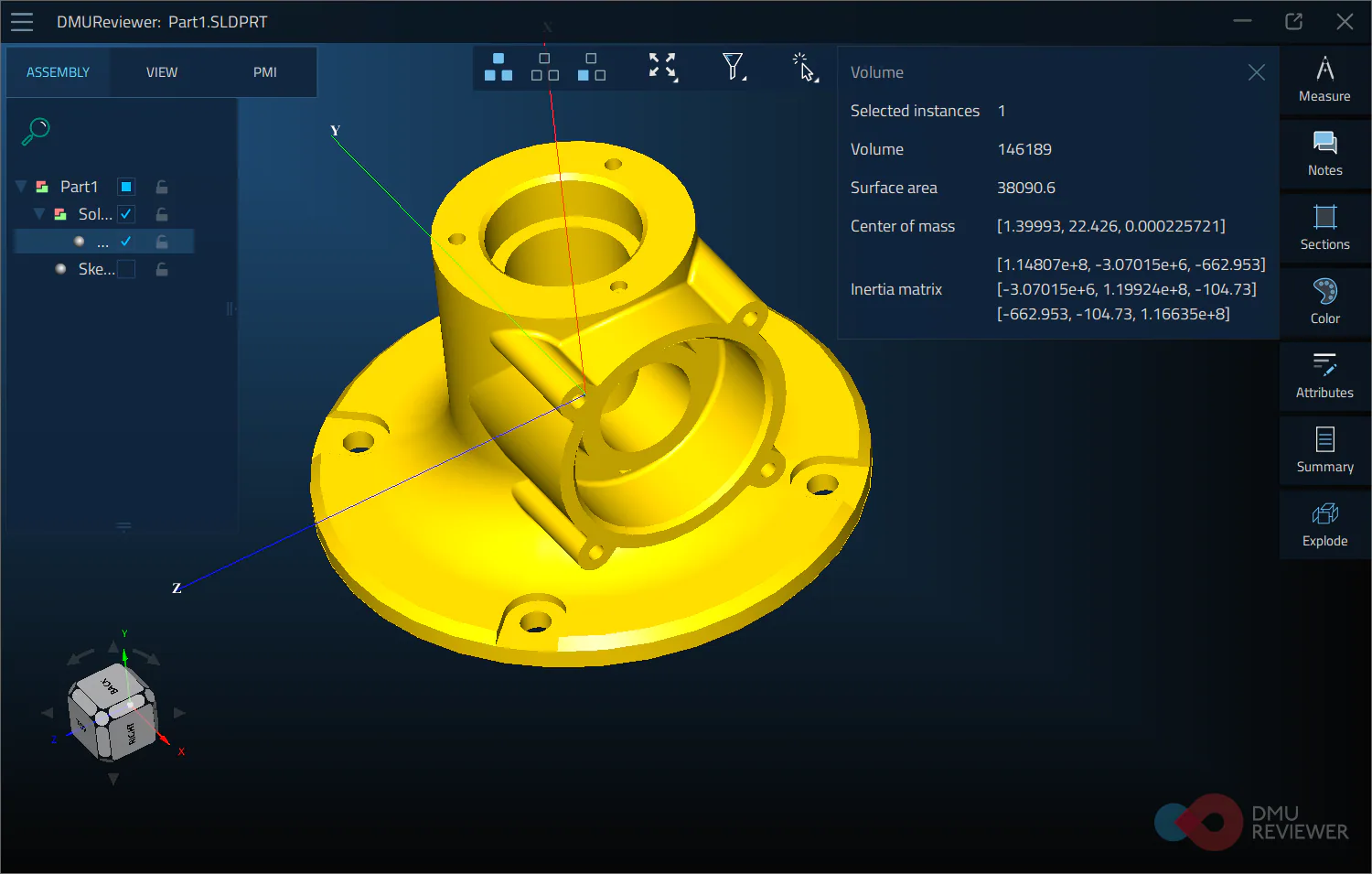
To save all iterations and not to repeat every step once again, each operation can be saved as a separate view in the software
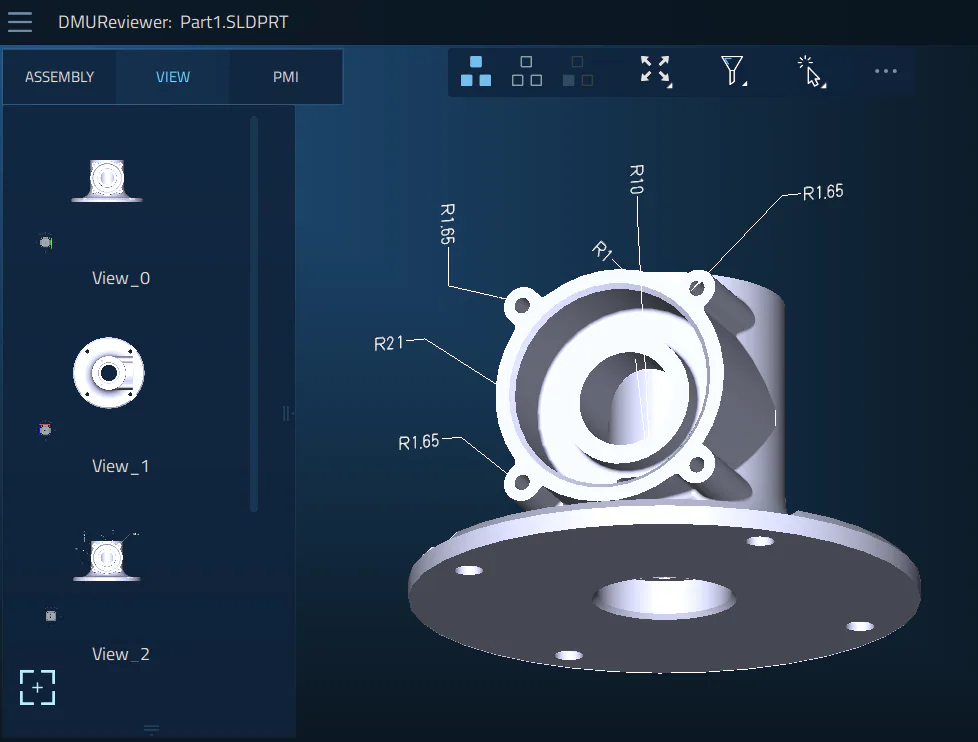
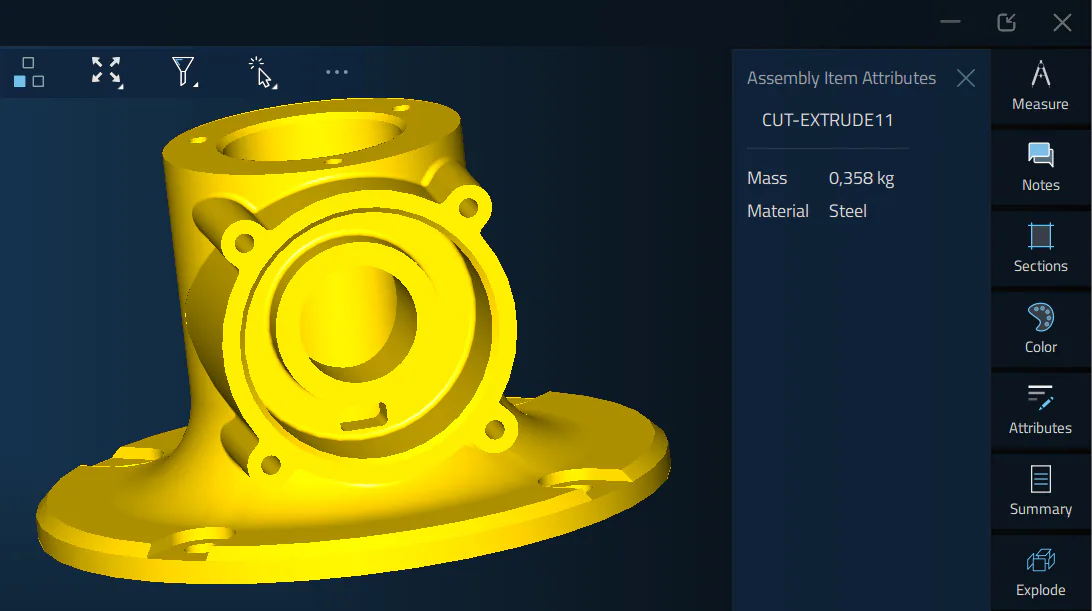
Very often 3D design models are created with all the features, tolerances, and production information. This valuable data comes with a file and can be viewed in the software via PMI tab. Additional information about the model can be accessed via Attributes, which may come with a model or assigned right in DMU Reviewer.
Conclusion:
While collaboration between various stakeholders is important, the lack of software tools across the organization creates a fundamental barrier. In this scenario, DMU Reviewer is an effective enterprise software solution, which bridges the gap between various departments and establishes collaborative environment for people, by providing them with an easy-to-use tool for daily tasks. Using a 3D model as the single aggregator of both design and engineering information helps to reduce production time, accelerates quality inspections and validations, and leads to higher quality parts during assembly and manufacturing.
*The CAD models used in the screenshots and in the preview picture were kindly provided by O.G and Virender Singh via GrabCAD.