

Geometry processing
Surface Wrapping
Open Cascade offers the solution for construction of a simulation-ready mesh - state-of-the art Surface Wrapping software development tool. The solution is designed to generate watertight mesh near the input «dirty» tessellation. The Surface Wrapping…
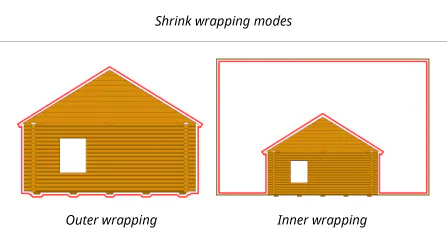
Open Cascade offers the solution for construction of a simulation-ready mesh - state-of-the art Surface Wrapping software development tool. The solution is designed to generate watertight mesh near the input «dirty» tessellation. The Surface Wrapping technology operates in either inner or outer mode. The outer wrapping mode produces a watertight shell covering the exterior of the input geometry. The inner wrapping mode is designed to envelop the models placed within a bounding volume. For example, it is well suited for the models positioned within a wind tunnel.
The coarseness of the wrapped model is controlled by the cell size parameter which limits the minimal scale of triangles in the result. The wrapped mesh consists of elements of variable size. For example, the flat areas of input mesh will be wrapped by larger triangles in the interior and smaller triangles near the boundary.
Wrapping process
The wrapping procedure performs the following steps to construct a watertight mesh:
- Cartesian wrapping (voxelization).
- Mesh transformation to follow the original geometry (projection).
- Mesh quality optimizations (refinement).
Each step produces a watertight mesh with various accuracy. Cartesian wrapping step produces a watertight shell of elements parallel to coordinate axes.
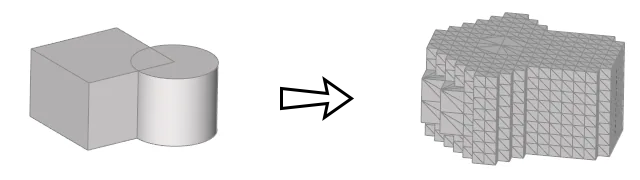
Voxelization stage for converting the original model to a Cartesian grid.
Mesh transformation moves the mesh nodes to place them as close to the original triangulation as possible.
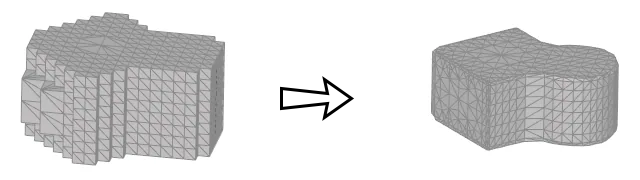
Projection stage.
After such transformation, the skewness property of the resulting mesh is usually not sufficient. Thus, an extra mesh optimization step is employed to improve the skewness by applying a customizable set of local operators. The refinement operators include Laplacian smoothing, edge flip, face collapse, etc.
Refinement operators
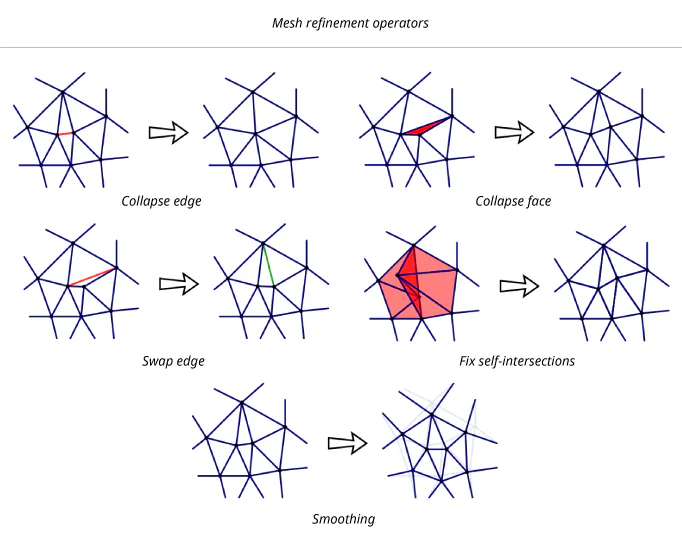
The Surface Wrapping library furnishes a set of local operators aimed at improving the mesh quality:
- Collapse edges shorter than the given threshold.
- Collapse narrow faces whose skewness is greater than the given threshold.
- Swap edge shared by a pair of triangles to minimize the local skewness.
- Fix self-intersected area of the mesh.
- Smoothing by iteratively moving the mesh nodes hence eliminating local folds and refining skewness.
Examples
The following examples illustrate all the steps being passed by the wrapping workflow.
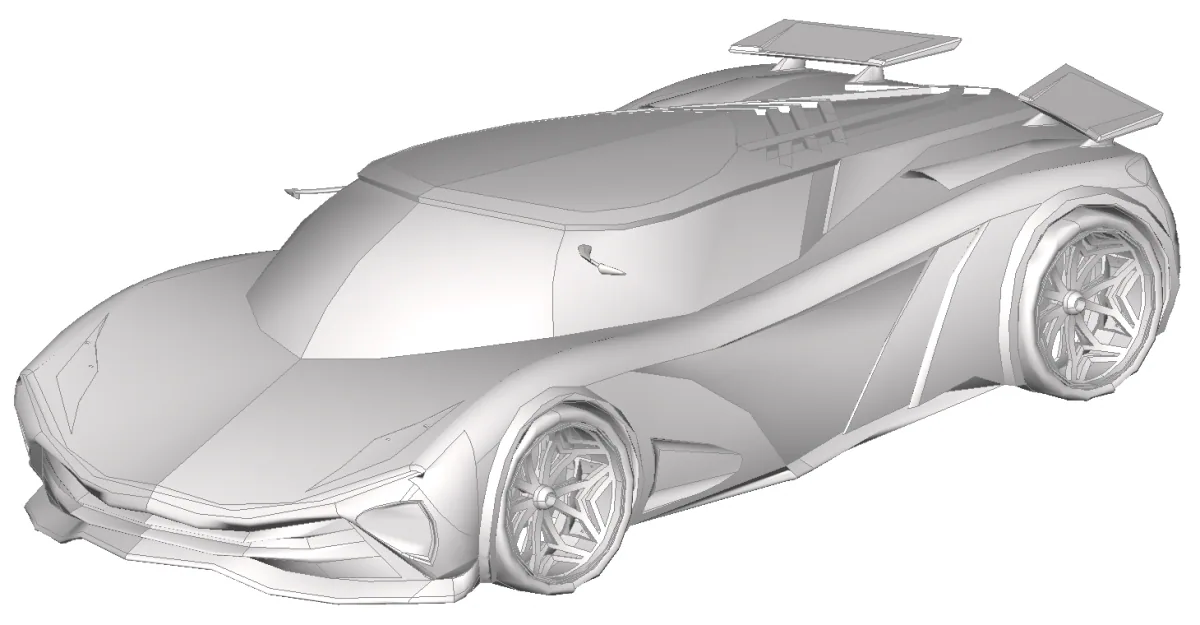
Input car model (courtesy of Pragnesh Patel via GrabCAD).
The voxelization step produces an adaptive mesh whose elements are parallel to the global coordinate planes:
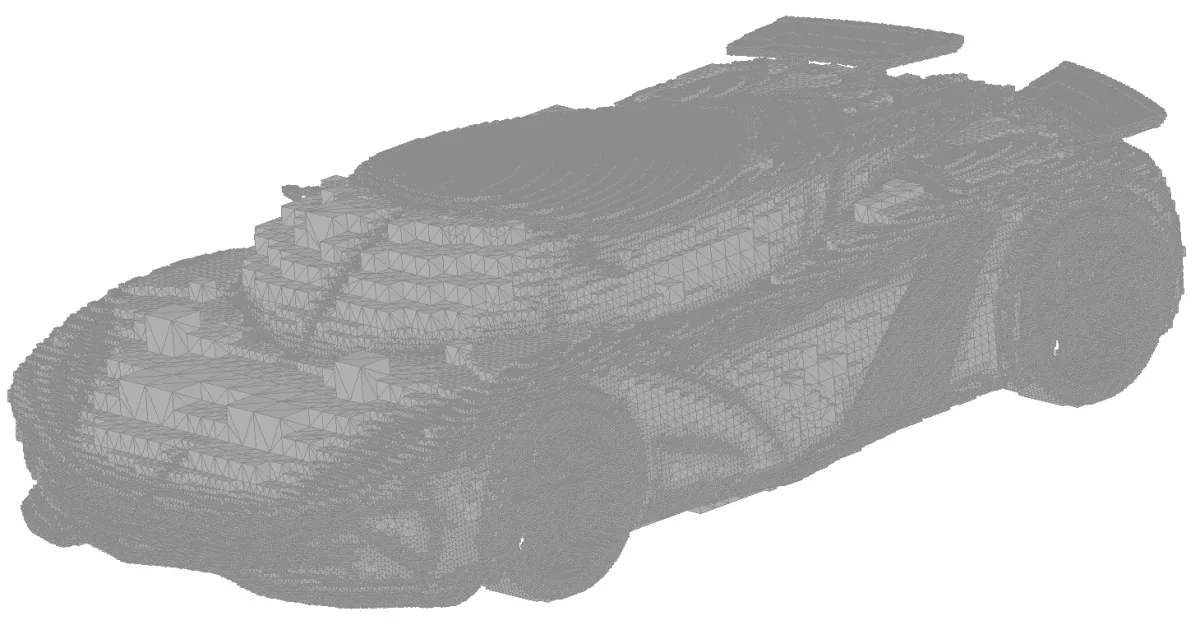
Car model after voxelization.
The mesh transformation step provides a tessellation wrapping the original model:
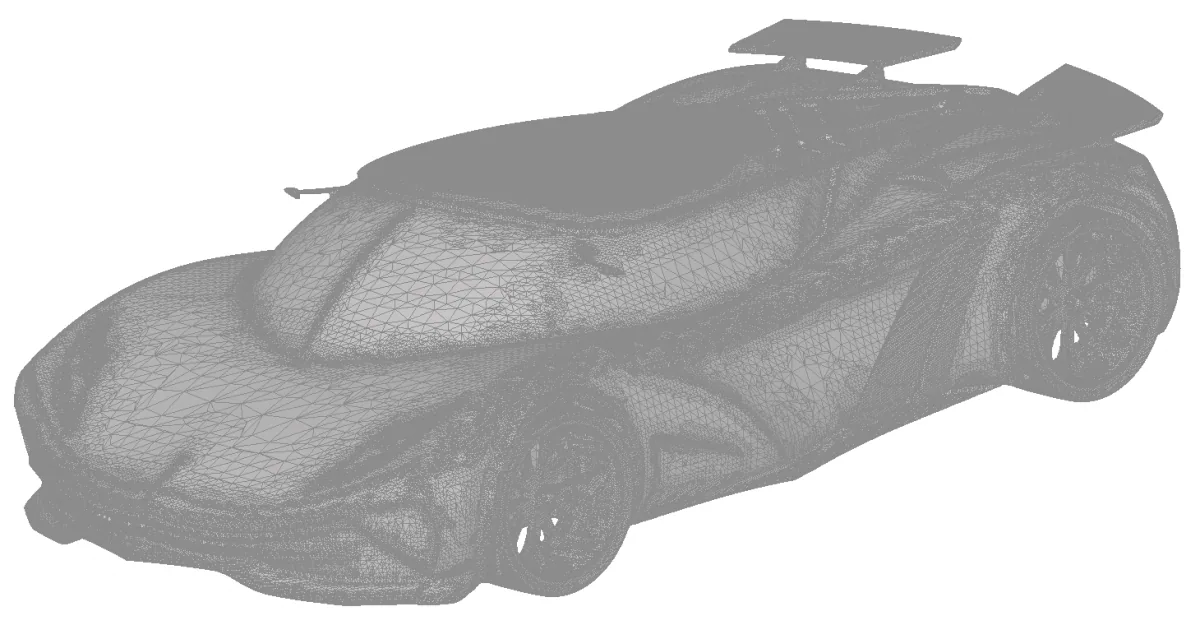
Car model after projection.